Skip to content

    Server 54

    All information related to Server 54, for Last Z: Shooter Run mobile game

    Thursday, December 11
    • Last Z: Survival Shooter
    • Rules
    • Info
    • Roles
    • Tips
    • Jawa FAQ
    • Achievements
    • Rule Breakers
    Newsletter
    Live Updates
    • 🏙️ Rule 4: ‘Friday’ Returning to the Alliance Hive Event
    • ⚔️ Rule 3: Enemy Buster Day Agreement
    • 🚫 Punishment Policy for Rule Violations in State 54
    • 📲 How to Set Up a Farm Account in Last Z: Survival Shooter?
    • 🏗️ Headquarters Upgrade Requirements

    📲 How to Set Up a Farm Account in Last Z: Survival Shooter?

    BY sinwrath19 May, 20256 December, 2025

    To create a farm account, you’ll need:

    • A secondary email (for verification codes)
    • A second phone (recommended, but not required)

    Steps to Create and Bind Your Farm Account:

    1. On your second phone, open Last Z: Survival Shooter and complete the tutorial battles.
    2. Once you can access your profile, bind your second email to the account.
      ⚠️ You will start in a random, low-population server initially.

    To create an account specifically in State 54:

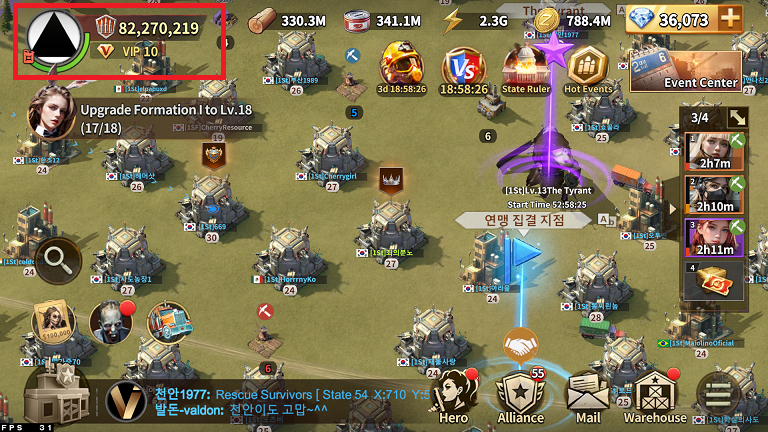
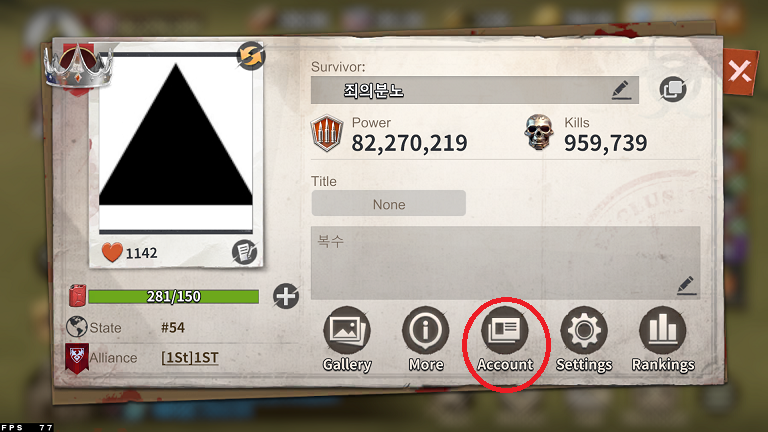
    1. Go to your Profile.

    2. Tap Account.

    3. Select Character Management.
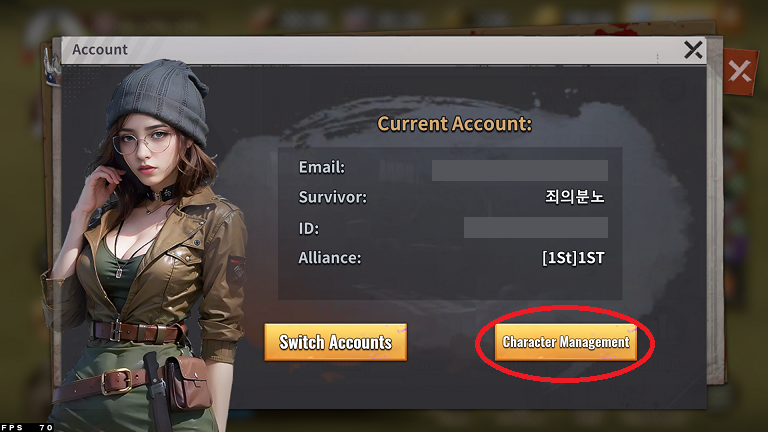
    4. Choose Create New Character.
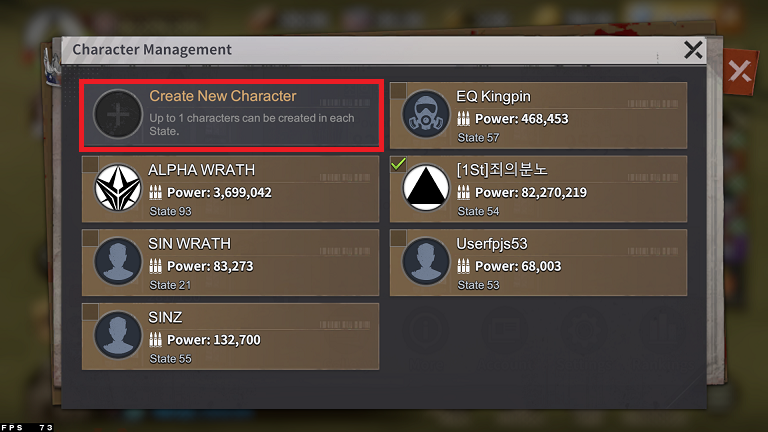
    5. Select the region 51–99
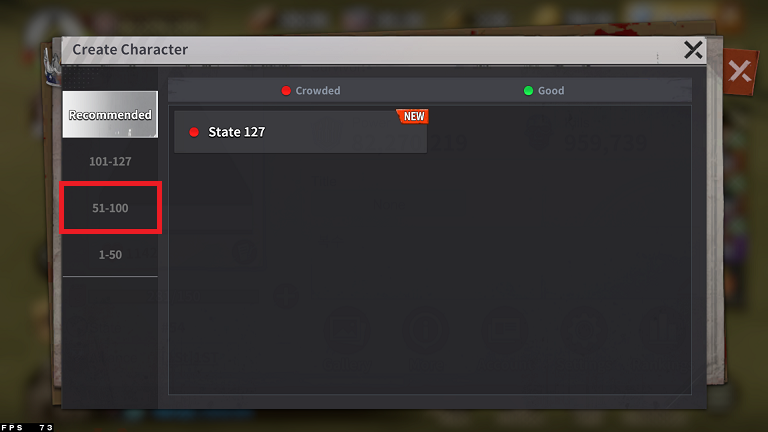
    6. Then pick State 54.
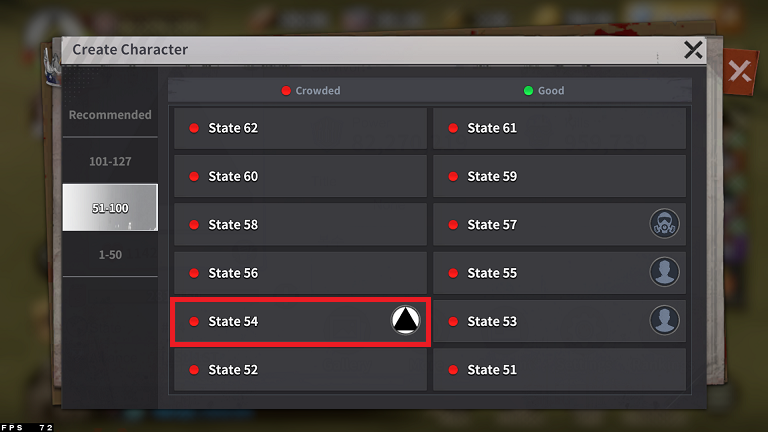
    After this, your farm account will be ready in State 54!
    Previous Post

    🏗️ Headquarters Upgrade Requirements

    Next Post

    🚫 Punishment Policy for Rule Violations in State 54

    Archives

    • July 2025
    • June 2025
    • May 2025
    • April 2025

    Categories

    • Info
    • Roles
    • Rule
    • Tips

    Related Posts

    Tips

    🏗️ Headquarters Upgrade Requirements

    HQ Level Required Buildings Food Wood Coin 0 → 1 – 12K 1 → 2 – 10.3K 2 → 3 – 15.5K 3 → 4 City Walls (5K) 23.3K 4 → 5 Radar, Assaulter Camp (3.8K) 46.6K 5 → 6 Military Center (23.4K)

    Copyright © 2025 | WordPress Theme: Xews Lite